
A variable is like a box that stores information.
You create it, put something in it and Python stores it until you retrieve it or need to change it.
Why do variables matter?
They let your program remember things like a player’s name, the score, choices made, positions, inventory, etc.
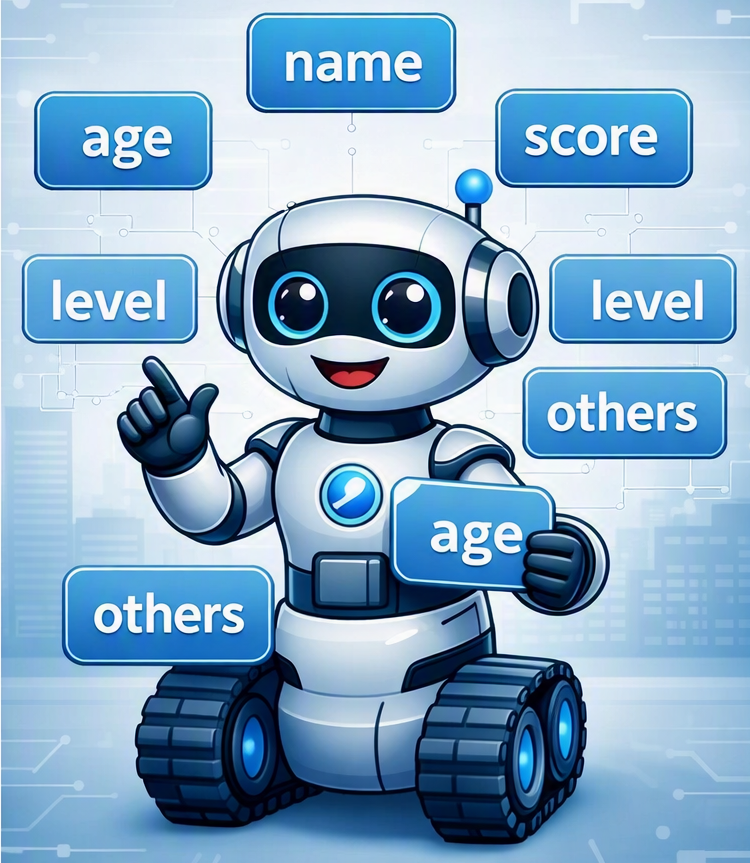
Creating a variable and putting info in them is very easy.
Think of is as “variable_name = value”.
name = "John"
age = 46
score = 0
weapon = None
Note that the name is a string text and should be included in quotes.
Age and score are both numbers, in order to store them as numbers, no quotes are needed.
If you did include them within quotes, they will be stored and can be displayed, but if you wanted to add to the score during the game it won’t work becasue the variable isn’t numeric as far as Python is concerned.
We also create a weapon variable, but we don’t want to store anything in it yet. To create the variable and leave it blank, set its value as None with no quotes. Make sure None starts with an upper case N.
In this case, None means nothing yet.
A note on variable names
When using variables, they are case sensitive.
Variable names can’t have spaces, to work around this I vary between using underscores or upper case within the variable name, for example fave_band or faveBand.
Let’s use the variables we have so far and display them on screen.
We will use our old friend, the print() command.
This time, when displaying the variable name, you don’t include the name in quotes.
print(name)
print(age)
print(score)
print(weapon)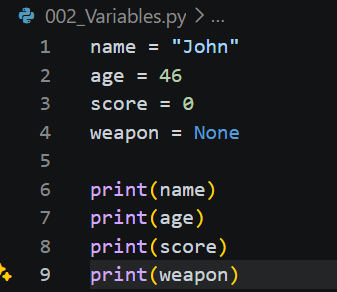
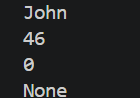
Change the value of a variable and run the same print commands and you will see the output changing too.
Did you change a variable and re-run it?
Congratulations! You just made your program remember something new!
Mini Test
If you used the command:
print("name")… do you know what would happen?
It would display the word name and not the value of the variable.
Try testing the variable names yourself, try the print command but misspell your variable name, or even use upper-case within the print command to see the type of error you might see.
More on text and numbers
Let’s add more variables for demonstration and a print() command to show the calculation result.
price1 = "10.50"
price2 = 10.50
quantity1 = "15"
quantity2 = 15
totalCost = price1 * quantity1
print(totalCost)
Note price1 and quantity1 variables will be treated as a text string because they are within quotes.
price2 and qantity2 variables will be treated as numeric.
The values are the same but how Python treats them is different.
The calculation totalCost will multiply the price by quantity to give the total cost (obviously!).
when you print totalCost you should see an error. Before doing so, can you figure out why there will be an error?
price1 and quantity1 are being treated as text, so you can’t perform calculations on them, you may as well be asking Python to multiply a bucket by a penguin!
Change the totalCost variable to multiply price2 by quantity2 and then run the same print command and it will work because these variables contain integers, or whole numbers.
Let’s take this a bit further.
f Strings
Add these variables and assign your own values to them.
name = "Jay"
age = 46
country = "Ireland"
As you’ve seen already, if we want to print the variable values we use the print command with the variable name between the brackets and no quotes.
print(name)
print(age)
print(country)
If we included quotes, our outputs would be the variable names. Let’s try add our 3 variables to a sentence.
print("Hello my name is name, I am age years old and I come from country")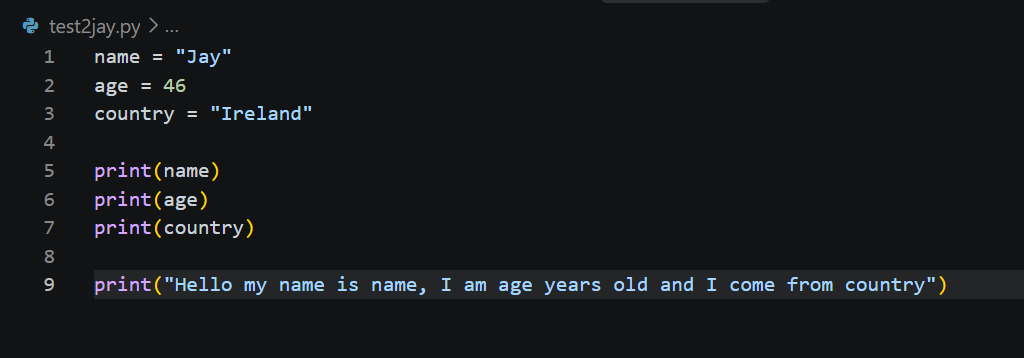

Our print command printed exactly what was between the brackets and quotes.
You’ll find when a command doesn’t work the way you expected it to, it is because the code is running the command you gave and not the command you wanted!
So, how do we replace the variable names with our variable values in this example?
We can create an f string to combine words and variables.
Put an f in the brackets, before the quotes. Then within your quotes create your text as normal, but include any variable names within the curly braces {} and Python will replace this with the variable value.
print(f"Hello my name is {name}, I am {age} years old and I come from {country}")Try it yourself.
- Change the variable values and print again.
- Add more variables and text to your introduction.
Want a funny story?
Create variables like animal, name, color, place, food, etc. and have a text string that will use these inputs from somebody else to make a short story.
Here is an example of one we played with as a family the other night, where each person was asked for the input and we ran the print command to give a silly story.
color="blue"
animal="kangaroo"
song="Starlight"
instrument="saxaphone"
food="lasagne"
noise="fart"
place="Dublin"
name="Noel"
name2="James"
animal2="frog"


print(f"Once upon a time in {place}, there was a {color} {animal} called {name}.")
print(f"{name} liked to play the {instrument} and sometimes would play for food.")
print(f"{name2} the big {animal2} offered {name} some {food} if he would play his favourite song.")
print(f"The song was {song}, but {name} didn't have his {instrument} so instead he had to {noise} {song} himself!")
It’s a nice time to take a break from this topic now, next we will be looking at getting input from the user and take the next steps in building our Guess The Number game.