
print() is a command that displays text on the screen.
Whatever you type within the brackets and quotes gets displayed.
print("Hello World")Punctuation will also get displayed if included within the quotes.
print("Hello World!")Numbers will also be displayed if included.
print("Hello 3rd rock from the sun!")When numbers are used like this, they are treated as a string of text, no different than letters (more on this later).
If you forget the quotes and get an error, don’t panic.
Python is very good at telling you where there is an error, even if their suggestion is incorrect, they will tell you the line that has an error. If in doubt, run the error through Co-Pilot, Chat GPT, Gemini or whatever your preferred AI helper is.

Try it yourself, create your own print command and run it.
Create your own 4-5 print lines and give some information about you.
You may want the output to be (replace the *** with your own answers)
- My name is ***
- I live in ***
- My favorite band is ***
- I am *** years old
- I like to play sports, especially ***
At this point, if you are using the same set up as me, it doesn’t look too exciting. In your Terminal window you will see your output.
Did you get this?
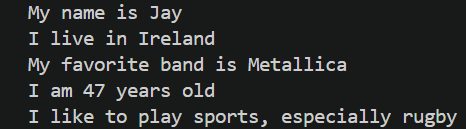
Your code should look something like this.
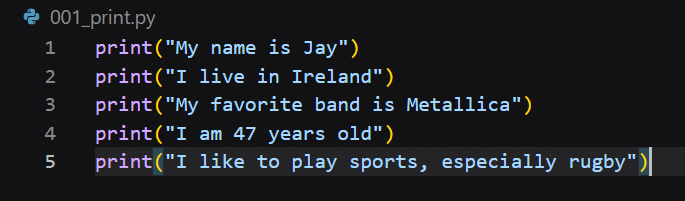
If it worked, then congratulations, you’ve just created your first Python program!
Next we will talk about variables and then use them with the print command.